The same cake, across different production runs
Did the flour come from a new batch? Did the amount of chocolate change? Record the materials and batches consumed to track this cake’s cost and compare it with previous runs.
Production
Calculate production costs from the materials and batches you use. Follow the cost as you add materials and compare it with previous production runs.
Create free account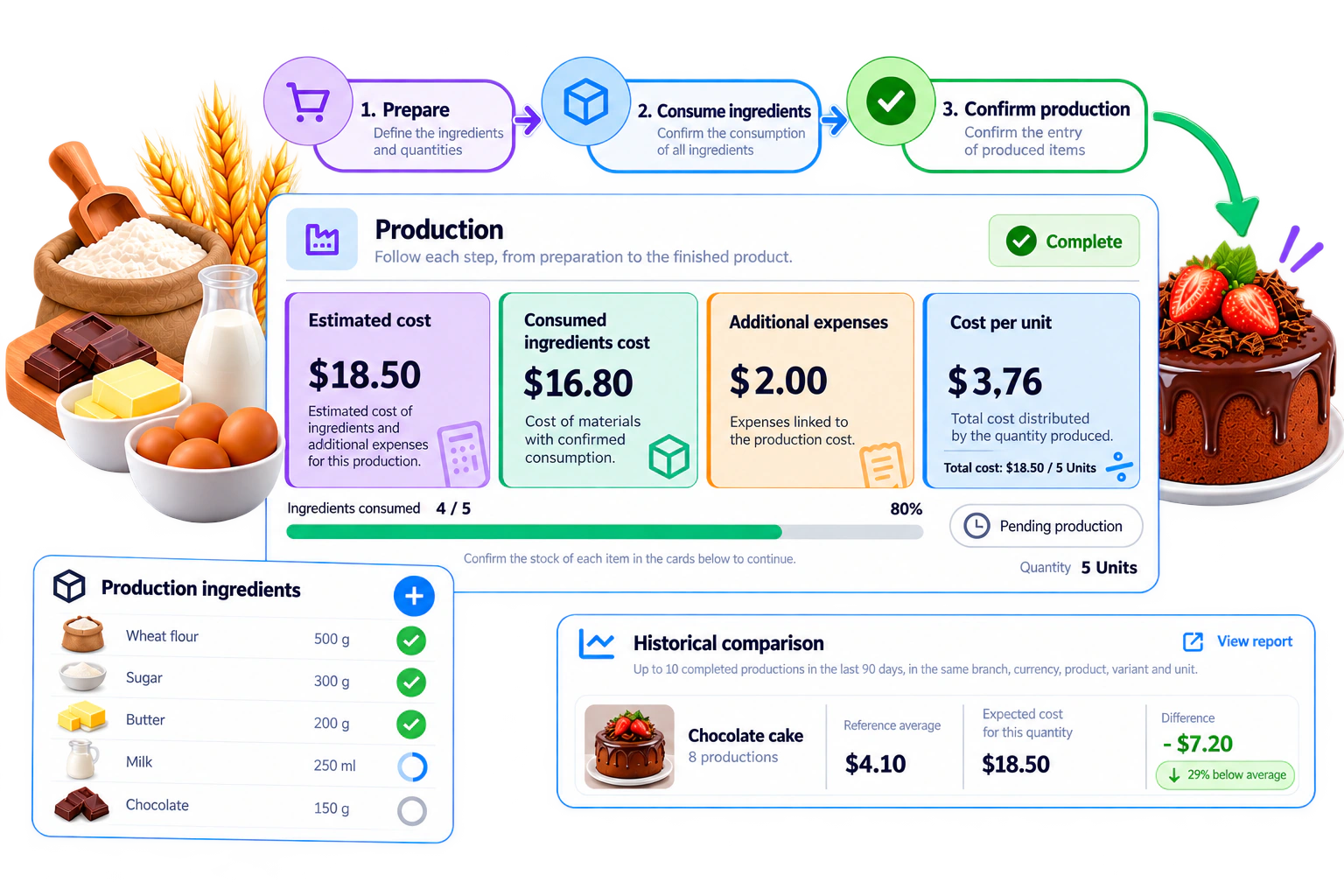
Define what you want to produce and the quantity needed.
Record the materials, quantities and batches consumed in production.
See costs calculated from the purchase values of the batches used.
Review the materials and costs of previous runs for the same product.
Production workflow
Connect production to the other stages of your operation and follow materials through to the finished product.
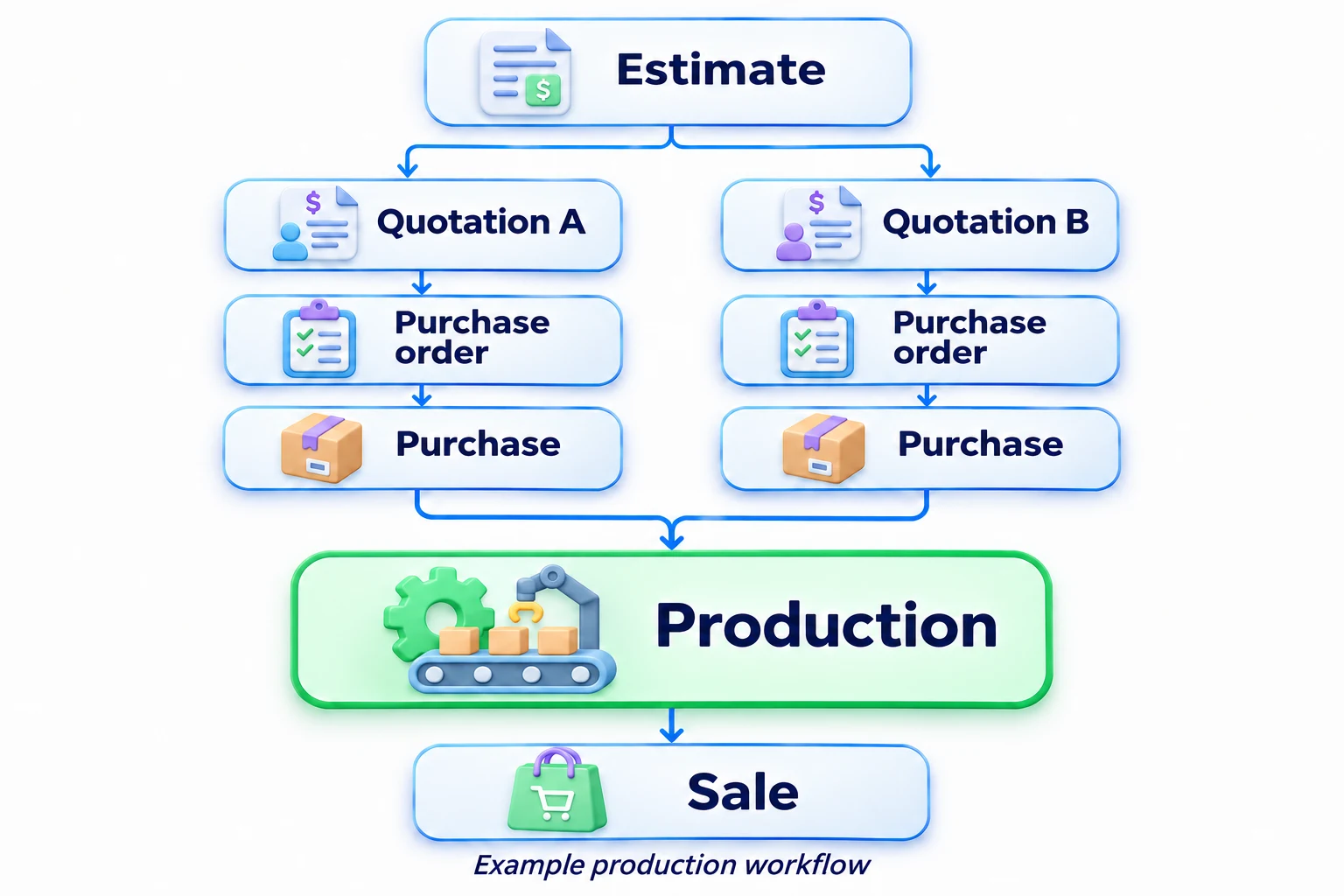
In this example, an estimate leads to two quotations and their purchase orders. The purchases supply production, which creates the product for sale.
Adapt the stages and connections to your actual business workflow, using the process types and relationships available in ProcessFlex. This sequence is just one example.
Compare the current production run with the product’s history to understand how costs changed and which materials were used in each run.
Did the flour come from a new batch? Did the amount of chocolate change? Record the materials and batches consumed to track this cake’s cost and compare it with previous runs.